Stock control built for hospitality

See what moves. Know what to order.

RestockBar connects your bar, warehouse and purchasing process. Track what leaves stock, understand what is running low and prepare the next order from real product movement.

RestockBar dashboard
Warehouse movement Live stock visibility
Purchasing Order list ready
Track what goes out Every warehouse pick becomes visible
Know what is running low Prepare purchasing from actual stock movement
Control what comes in Check received quantities against deliveries

From an empty fridge to a fully updated warehouse.

RestockBar follows the real workflow of your team: restock the bar, pick from the warehouse, update stock, prepare the order and receive the delivery.

01 The bar needs stock
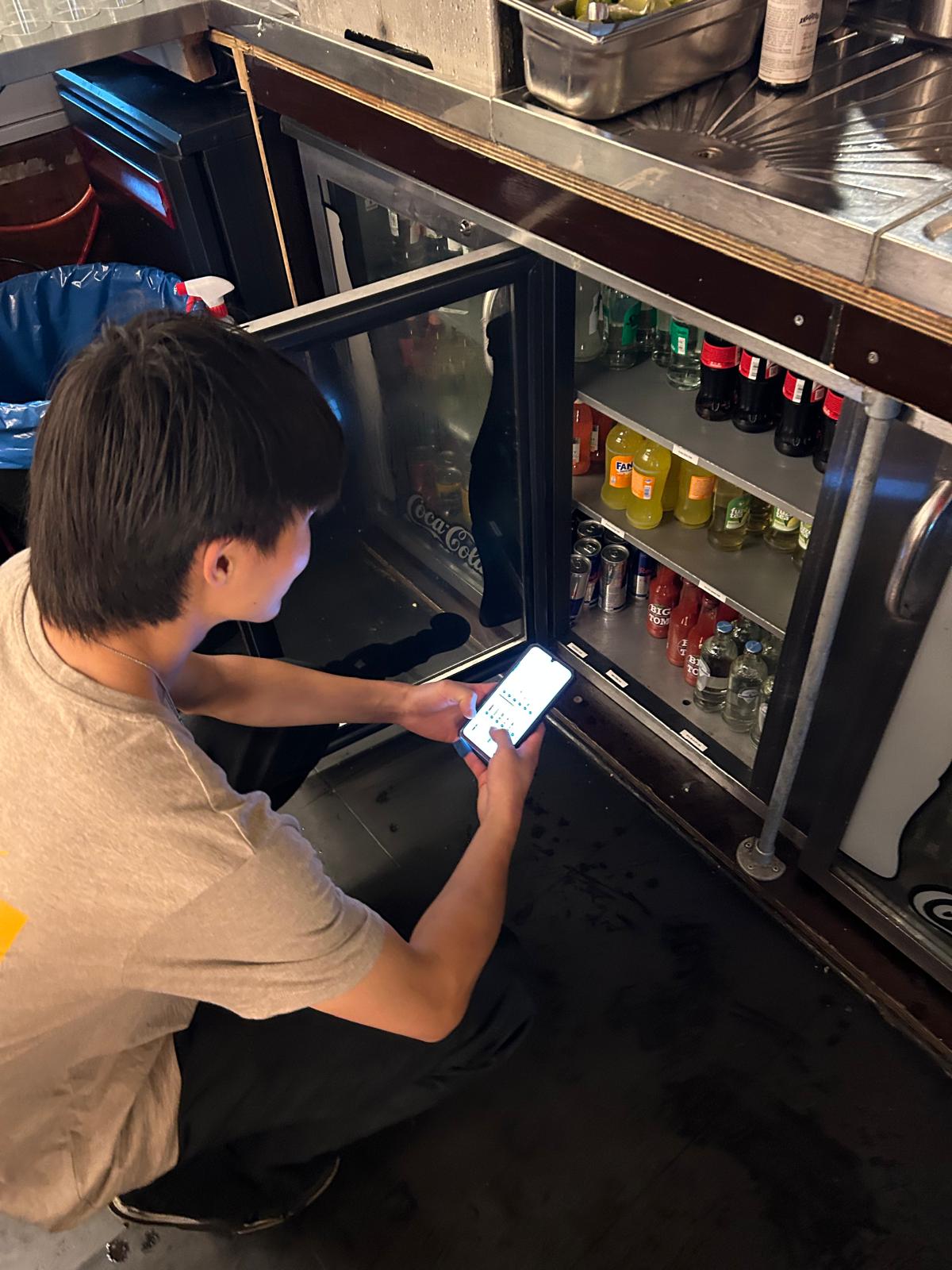
Bar fridge needs restocking

You need to restock the bar.

The fridge is no longer at the right stock level. Instead of relying on memory or handwritten notes, the team starts the restocking process in RestockBar.

Start from the real fridge
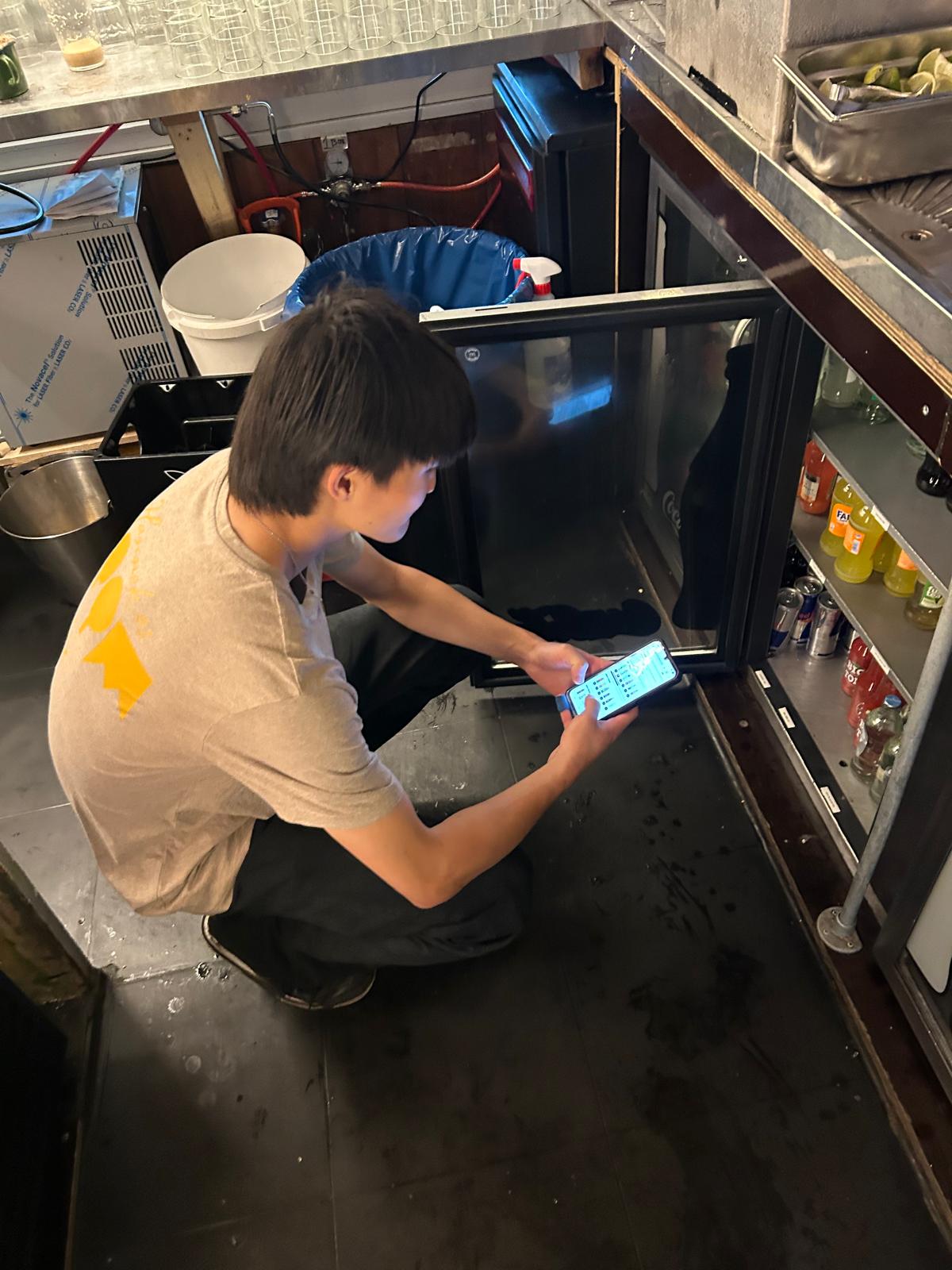
02 Count in the app
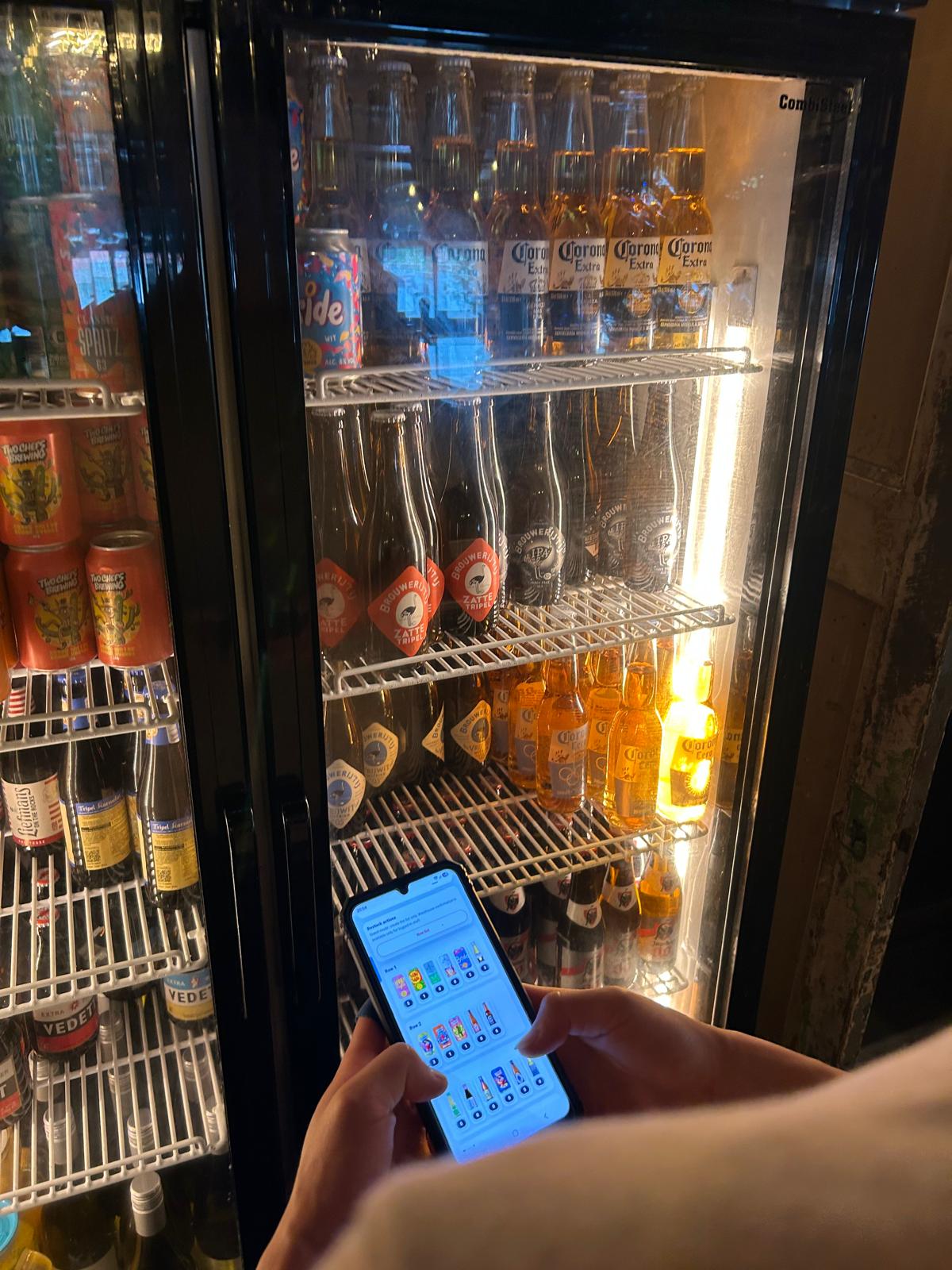
Employee counting products with RestockBar

The digital fridge matches the real fridge.

Bottles appear in the same order as they are physically stored, helping the employee count quickly and without forgetting products.

Fast visual counting
03 Pick from warehouse
Employee picking products from warehouse

Pick exactly what the bar needs.

The employee follows one clear list and collects the required products from the warehouse, ready for the next service.

One clear pick list
04 Prepare purchasing
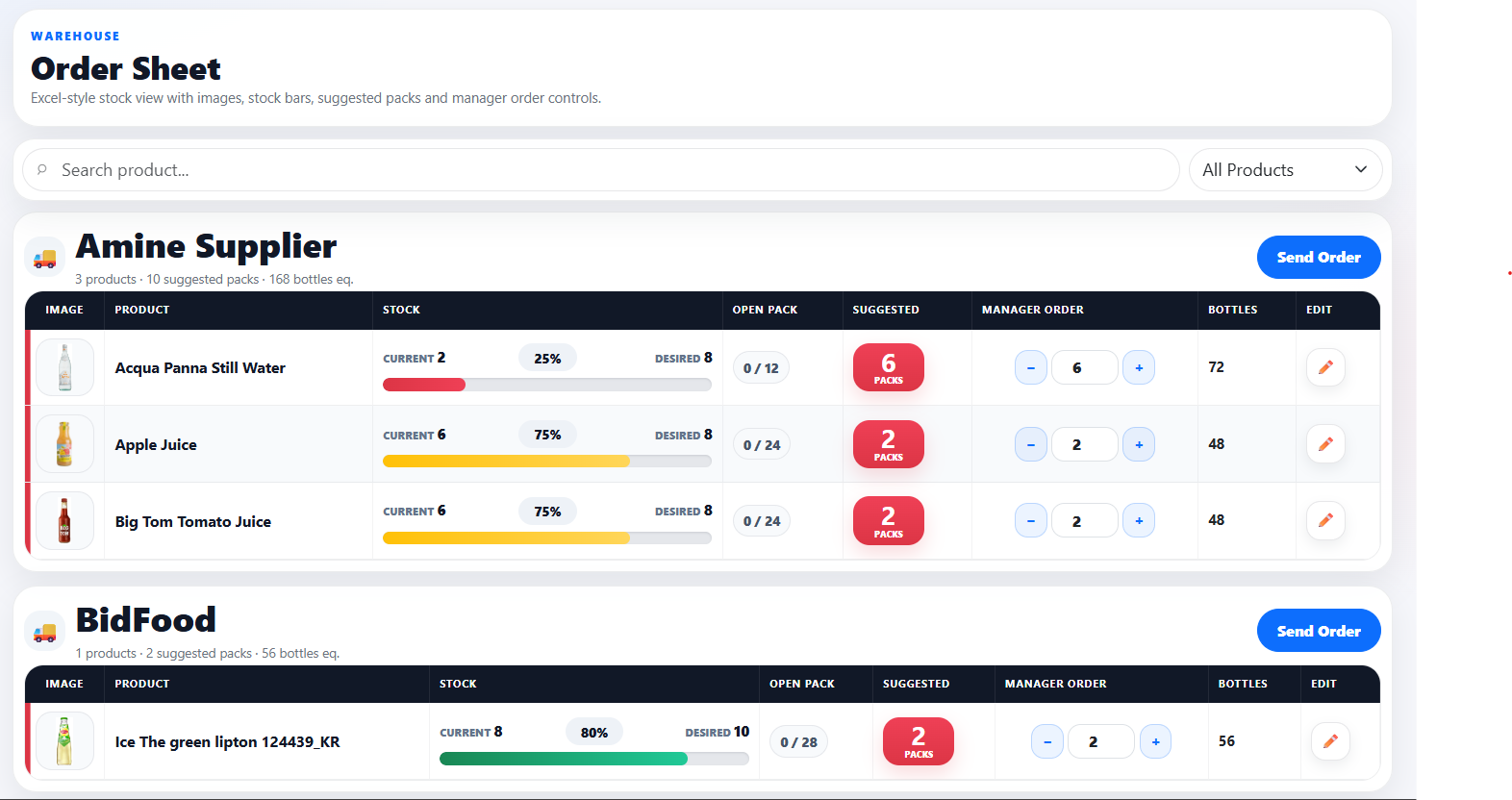
RestockBar warehouse and purchase dashboard

Stock updates and the next order is prepared.

RestockBar records what left the warehouse, highlights products running low and creates a purchasing list from real stock movement.

Order from live stock data
05 Receive and update
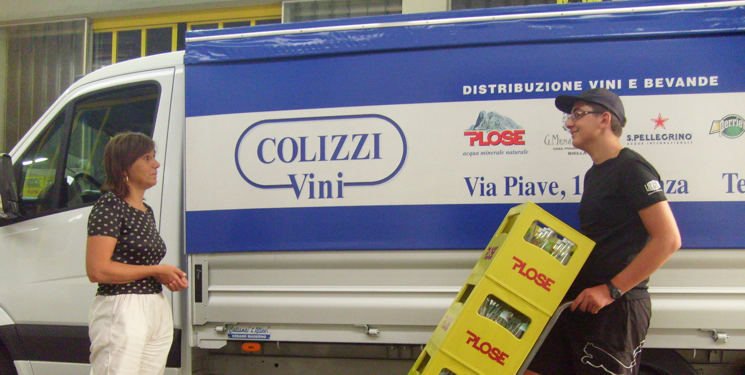
Delivery checked and warehouse stock updated

Receive the delivery and update stock in one step.

Compare the expected order with the real delivery, confirm what physically arrived and immediately add the received quantities to the virtual warehouse.

Verified delivery. Updated warehouse.
-30% less time spent restocking bar fridges.
-45% less time spent preparing purchase orders.
+25% better stock visibility across warehouse movements.

Run your entire inventory from one place.

From bar restocking to warehouse management and purchasing, RestockBar gives managers a live view of stock, product movements and the next actions their team needs to take.

Manager dashboard

Inventory overview

Live data
Products in stock
0
Updated now
Movements today
0
+12% vs yesterday
Orders ready
0
Ready to send
Low-stock items
0
Needs attention

Warehouse stock levels

View all products →
Heineken 33cl
126
Coca-Cola
82
Sparkling water
61
House white wine
18

Recent activity

Live
Bar fridge restocked24 products moved from warehouse · 2 min ago
+
Delivery received186 units added to stock · 18 min ago
!
Low-stock alertHouse white wine reached its minimum level
Purchase order prepared5 supplier lists are ready for review
Warehouse stock
Product movements
Purchase orders
Incoming deliveries
!Low-stock alerts
Team activity

A stock process your team can actually follow.

Know what goes out

Every warehouse pick is recorded instead of disappearing into the shift.

Know what comes in

Check deliveries and keep a clear record of received quantities.

Buy from real movement

Use actual warehouse stock and product usage to prepare purchasing.

Keep enough stock

Reduce last-minute surprises and stay ready for service.

Want a clearer view of your stock?

Tell us how your venue currently manages restocking and warehouse stock. We'll show you how RestockBar can fit your workflow.

Track warehouse movements
Prepare what needs to be ordered
Check incoming deliveries

Tell us about your venue

Leave your details and we'll get in touch.